What Is a Phishing Attack? Everything You Need to Know in 2026
Introduction
Cybercrime continues to evolve, and phishing attacks remain one of the biggest threats to individuals and businesses worldwide. As technology advances in 2026, cybercriminals are using artificial intelligence, social engineering, and sophisticated impersonation techniques to trick people into revealing sensitive information. Whether you’re checking your email, browsing social media, shopping online, or managing your business, understanding phishing attacks is essential for protecting your personal and financial data.
In this comprehensive guide, you’ll learn what a phishing attack is, how it works, the different types of phishing attacks, common warning signs, real-world examples, and the best practices to prevent becoming a victim.
What Is a Phishing Attack?
A phishing attack is a type of cyberattack in which criminals pretend to be trusted organizations, companies, banks, government agencies, or even coworkers to deceive victims into sharing sensitive information. This information may include usernames, passwords, credit card numbers, banking details, personal identification information, or business credentials.
The primary goal of phishing is to steal confidential data, gain unauthorized access to systems, install malware, or commit financial fraud. Attackers often disguise themselves through fake emails, fraudulent websites, text messages, phone calls, or social media messages that appear legitimate.
Because phishing relies heavily on human psychology rather than technical vulnerabilities, it continues to be one of the most successful forms of cybercrime.
How Does a Phishing Attack Work?
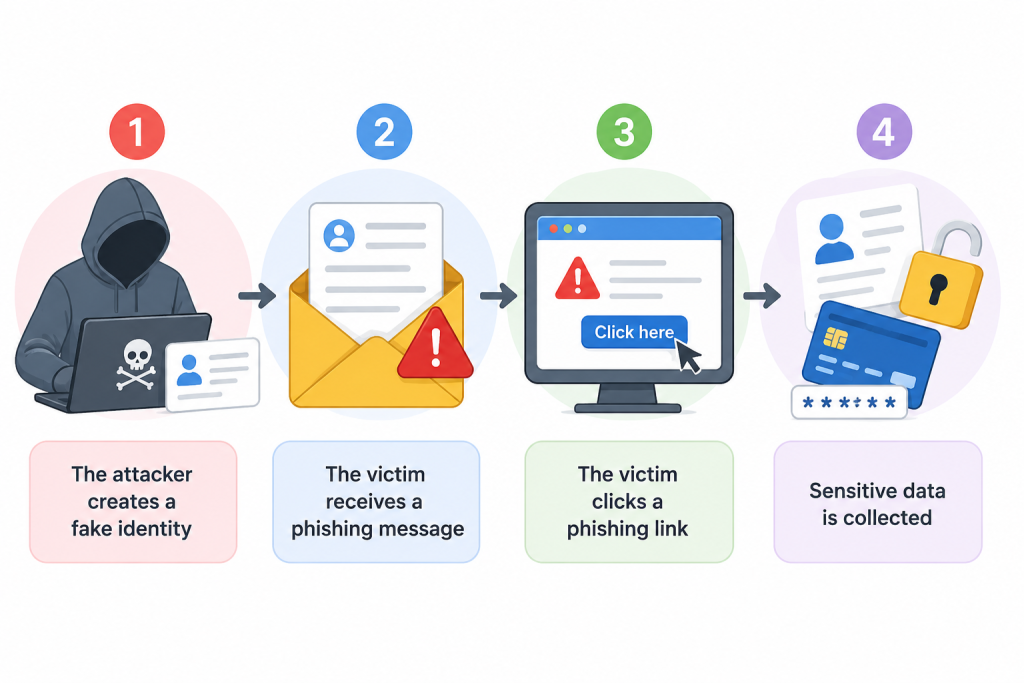
Phishing attacks are designed to trick people into sharing sensitive information by pretending to be a trusted source. While phishing techniques continue to evolve, most attacks follow a similar pattern. Understanding these steps can help you recognize and avoid phishing scams before they cause damage.
Step 1: The Attacker Creates a Fake Identity
Every phishing attack begins with the attacker creating a convincing fake identity. Cybercriminals often impersonate trusted organizations such as banks, online retailers, government agencies, delivery services, or well-known brands. They design fake websites, create spoofed email addresses, and register domain names that closely resemble legitimate ones. Their goal is to make the communication appear genuine so that victims trust the message without hesitation.
Step 2: The Victim Receives a Phishing Message
Once the fake identity is ready, the attacker sends a phishing message through various communication channels. Email remains the most common method, but phishing can also occur through text messages (smishing), phone calls (vishing), social media platforms, messaging apps, or QR codes (quishing).
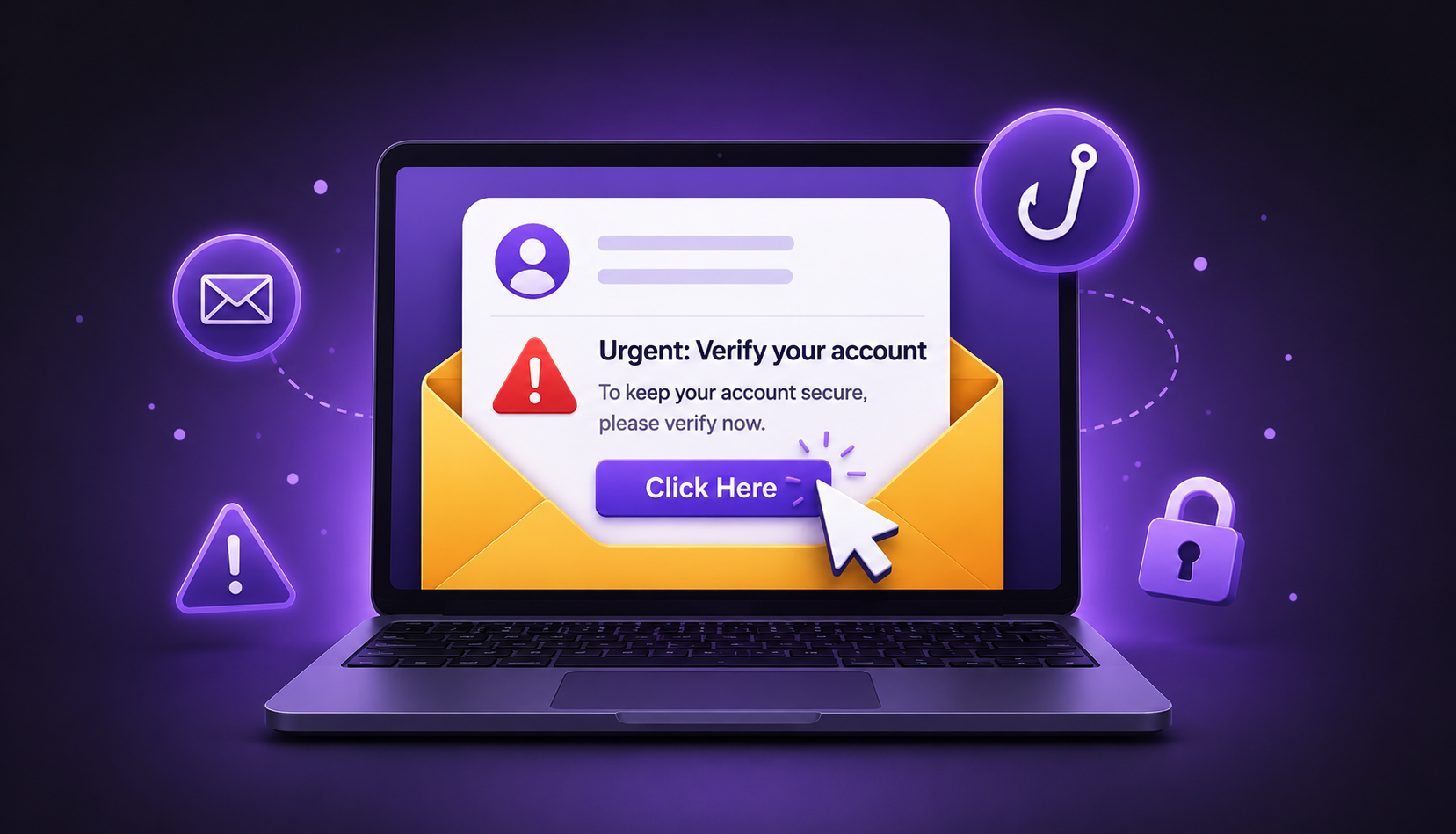
Modern phishing messages are highly convincing. Cybercriminals often use artificial intelligence to create professional, error-free content that appears authentic. These messages usually create a sense of urgency by claiming that your account has been compromised, a payment has failed, or immediate verification is required. The objective is to pressure you into taking action without carefully verifying the request.
Step 3: The Victim Clicks a Malicious Link
If the victim clicks the provided link, they are redirected to a fraudulent website that closely resembles the official website of a trusted organization. These fake websites often copy the original design, logo, colors, and layout, making them difficult to distinguish from legitimate sites.
Victims are then asked to log in, verify their identity, update payment information, or download a file. Since the website appears authentic, many users unknowingly provide their personal information.
Step 4: Sensitive Information Is Stolen
After the victim enters their information, the attacker immediately collects it. Stolen data may include usernames, passwords, credit card numbers, banking details, One-Time Passwords (OTPs), or other personal information.
Cybercriminals use this information to commit identity theft, access financial accounts, make fraudulent purchases, install malware, launch ransomware attacks, or sell stolen credentials on the dark web.
What Is a Phishing Email?
A phishing email is a fraudulent email designed to trick recipients into clicking malicious links, downloading infected attachments, or revealing sensitive information. These emails often appear to come from trusted companies, financial institutions, government agencies, or even colleagues.
Although phishing emails have become more sophisticated in 2026, there are still several warning signs that can help you identify them.
Fake Sender Address
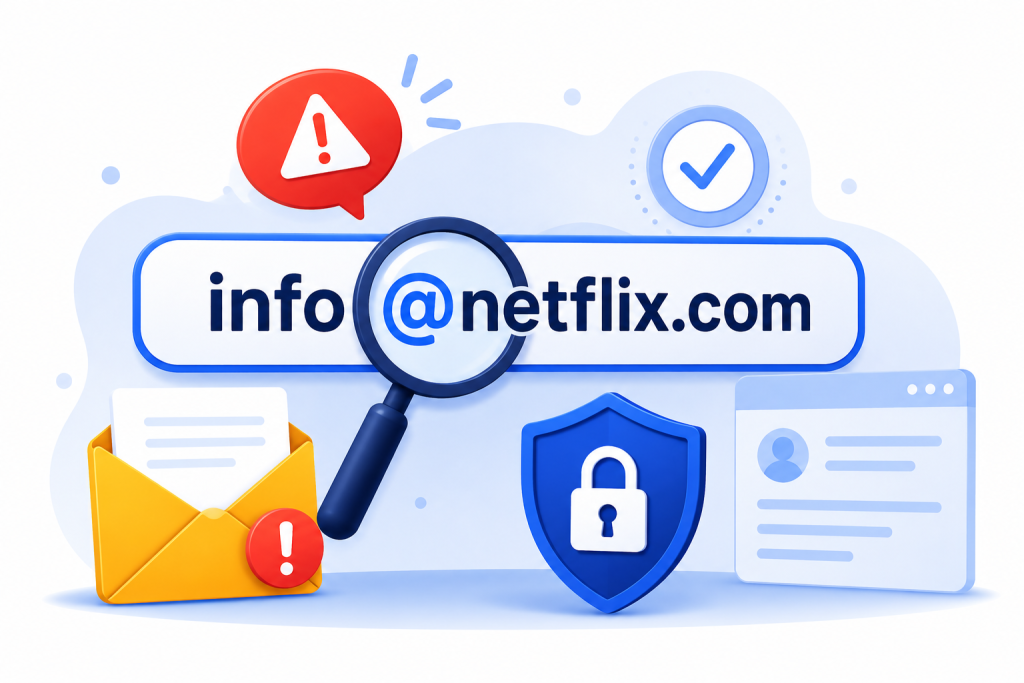
The sender’s display name may appear legitimate, but the actual email address often reveals the scam. For example, an email claiming to be from PayPal may use an address such as [email protected] instead of the company’s official domain.
Urgent or Threatening Language
Phishing emails frequently create panic by claiming your account will be suspended, your payment has failed, or unauthorized activity has been detected. Legitimate organizations rarely demand immediate action through threatening emails.
Suspicious Attachments
Unexpected attachments, especially files with extensions such as .zip, .exe, .docm, or unfamiliar PDF documents, may contain malware designed to infect your device as soon as they are opened.
Malicious Links
The visible text of a hyperlink may look trustworthy, but the actual destination can be completely different. Before clicking any link, hover your mouse over it to verify the URL and ensure it leads to the official website.
What Is a Phishing Link?
A phishing link is a malicious hyperlink that redirects users to a fake website designed to steal personal information or install malware. These links are the core element of most phishing attacks because they encourage victims to visit fraudulent websites that closely imitate legitimate ones.
To stay safe, always examine links carefully before clicking them.
Misspelled Domain Names
Attackers often register websites with slight spelling variations that are difficult to notice. For example, they may replace letters with similar-looking characters or insert additional letters to mimic well-known brands.
Extra Characters in the URL
Cybercriminals frequently add extra words, numbers, or symbols to legitimate brand names. A URL may include words like “secure,” “verify,” or “login” to appear trustworthy while actually leading to a fake website.
Misleading Subdomains
Some phishing links place a trusted brand name within a longer domain to confuse users. Although the brand name appears in the URL, the website is not owned by the legitimate company.
HTTPS Does Not Guarantee Safety
Many people believe that a padlock icon or HTTPS automatically means a website is trustworthy. While HTTPS encrypts your connection, it does not verify that the website itself is legitimate. Cybercriminals can also obtain SSL certificates, so users should always verify the complete domain name before entering sensitive information.
Types of Phishing Attacks
Email Phishing
Email phishing is the most common type of phishing attack. Criminals send fake emails that closely resemble messages from trusted organizations. These emails often contain malicious links or attachments designed to steal credentials or install malware.
Spear Phishing
Unlike mass phishing campaigns, spear phishing targets specific individuals or organizations. Attackers gather information about the victim beforehand, making the messages appear highly personalized and convincing.
Whaling
Whaling is a specialized phishing attack targeting executives, CEOs, financial officers, or senior management. Because these individuals have access to valuable company information, attackers carefully craft highly believable messages.
Smishing
Smishing uses SMS text messages instead of email. Victims receive fake alerts about deliveries, banking activity, or account verification requests that contain malicious links.
Vishing
Vishing refers to voice phishing conducted through phone calls. Attackers impersonate bank representatives, government officials, technical support agents, or customer service teams to persuade victims to disclose sensitive information.
Clone Phishing
In clone phishing, attackers duplicate a legitimate email and replace safe links or attachments with malicious ones. Since the email closely resembles the original message, recipients often trust it.
AI-Powered Phishing
Artificial intelligence has transformed phishing attacks in 2026. Cybercriminals now use AI to generate realistic emails, personalized messages, fake customer support chats, voice cloning, and even convincing video impersonations, making scams increasingly difficult to detect.
Common Signs of a Phishing Attack
Recognizing phishing attempts early can prevent significant financial and data losses.
Some common warning signs include unexpected requests for personal information, urgent language demanding immediate action, suspicious links, poor grammar, unfamiliar email addresses, unusual attachments, fake login pages, offers that seem too good to be true, and requests for payment through gift cards or cryptocurrency.
Before clicking any link, always verify the sender’s identity and inspect the website address carefully.
Real-Life Examples of Phishing
Imagine receiving an email claiming your bank account has been locked due to suspicious activity. The email asks you to click a link to verify your identity immediately. The website looks identical to your bank’s login page, but it is actually controlled by cybercriminals. Once you enter your username and password, attackers gain access to your banking account.
Another common example involves online shopping. You receive a message stating that your package delivery has failed and requires confirmation. Clicking the provided link downloads malware or redirects you to a fake payment page designed to steal your financial information.
Businesses are also frequently targeted through fake invoices, fraudulent vendor requests, payroll scams, and fake cloud storage notifications.
Why Phishing Attacks Are Increasing in 2026
Several factors contribute to the growing number of phishing attacks.
Artificial intelligence enables attackers to create realistic content in seconds. Remote work environments have expanded digital communication channels. Increased cloud adoption provides more login credentials for attackers to target. Social media exposes personal information that criminals use to personalize scams. Mobile device usage has also increased the success rate of SMS phishing attacks.
As organizations continue embracing digital transformation, attackers continuously adapt their methods.
The Impact of Phishing Attacks
A successful phishing attack can have devastating consequences for both individuals and businesses.
Victims may experience identity theft, financial loss, unauthorized account access, ransomware infections, business disruption, data breaches, legal consequences, regulatory penalties, reputational damage, and loss of customer trust.
For businesses, even a single compromised employee account can lead to organization-wide security incidents.
How to Prevent Phishing Attacks
Preventing phishing attacks requires a combination of technology, awareness, and security best practices.
Always verify the sender before responding to emails requesting sensitive information. Never click suspicious links or download unexpected attachments. Enable multi-factor authentication (MFA) on all important accounts to add an extra layer of security. Use strong, unique passwords for every account and store them securely with a password manager.
Regularly update your operating system, browser, and security software to protect against newly discovered vulnerabilities. Install reputable antivirus software and keep firewall protections enabled.
Businesses should conduct regular cybersecurity awareness training, implement email filtering solutions, monitor suspicious login activity, and educate employees about modern phishing techniques.
What to Do If You Become a Victim
If you suspect you’ve fallen for a phishing attack, act immediately.
Disconnect your device from the internet if malware may have been installed. Change your passwords immediately, starting with email and financial accounts. Enable multi-factor authentication if it is not already active. Contact your bank if financial information has been compromised. Report the phishing email to your email provider or IT department, run a complete antivirus scan, and monitor your accounts for suspicious activity.
Quick action can significantly reduce the damage caused by phishing.
Frequently Asked Questions
Is phishing illegal?
Yes. Phishing is an illegal cybercrime involving fraud, identity theft, and unauthorized access to sensitive information.
Can antivirus software stop phishing attacks?
Antivirus software helps detect malicious files and websites, but it cannot stop every phishing attack. User awareness remains the strongest defense.
Are mobile phones vulnerable to phishing?
Yes. Smartphones are increasingly targeted through SMS phishing, fake mobile apps, malicious QR codes, and messaging applications.
Can businesses completely prevent phishing?
No organization can eliminate all risk, but strong cybersecurity policies, employee training, email security, and multi-factor authentication significantly reduce the likelihood of successful attacks.
Final Thoughts
Phishing attacks continue to evolve in 2026, becoming more convincing and difficult to detect due to advancements in artificial intelligence and social engineering. Whether you’re an individual protecting your personal information or a business safeguarding customer data, understanding how phishing works is the first step toward staying secure online.
By recognizing warning signs, verifying communications, using multi-factor authentication, maintaining strong passwords, and educating yourself about emerging cyber threats, you can dramatically reduce the risk of falling victim to phishing scams.
Cybersecurity is not just about technology—it’s about making informed decisions every time you receive an email, message, or unexpected request online.