WordPress 7.1: What’s New in 2026?
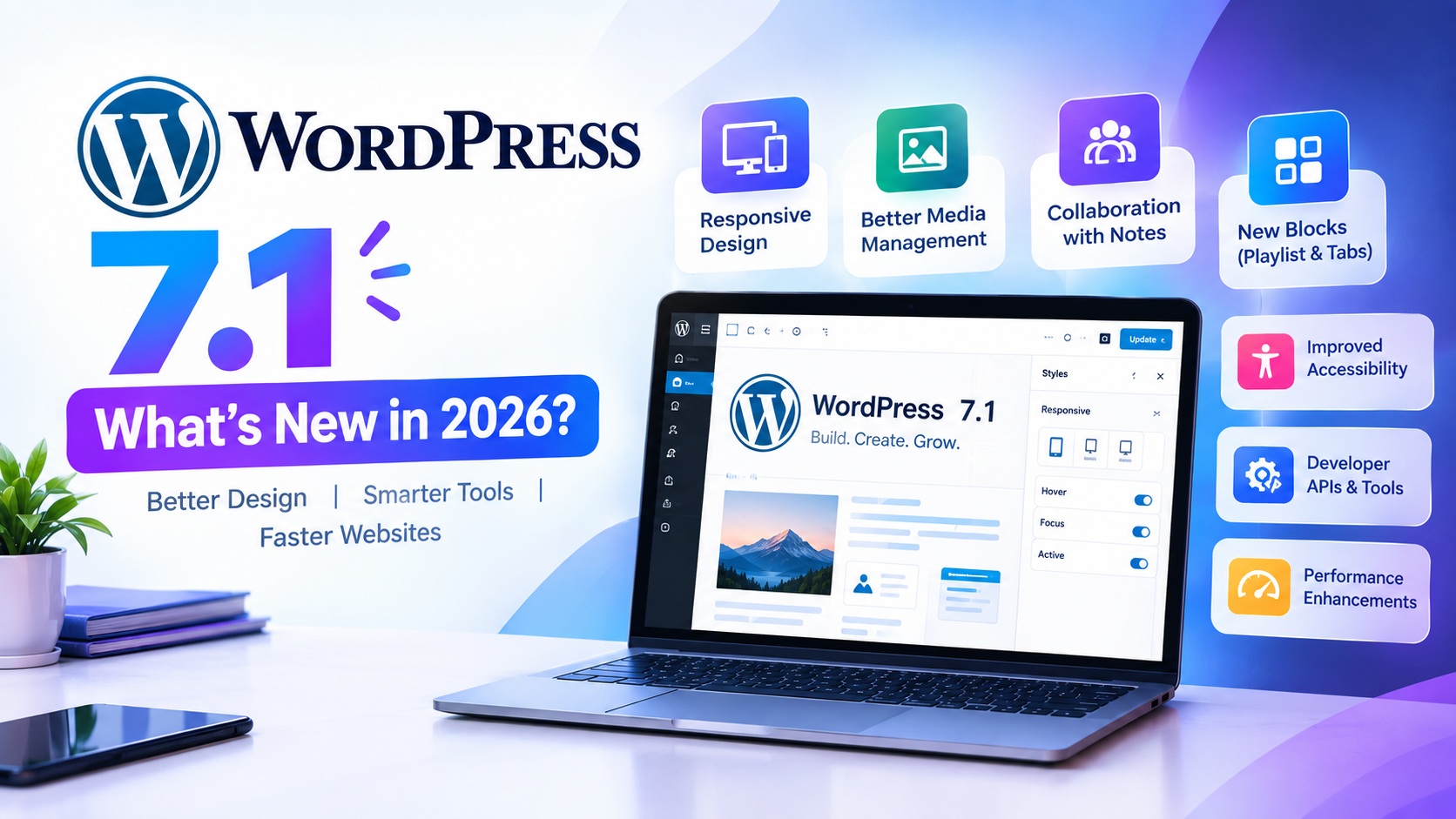
WordPress continues to evolve as one of the world’s most popular website platforms, and WordPress 7.1 brings a range of improvements focused on responsive design, media management, collaboration, accessibility, and a smoother editing experience. Officially released on August 19, 2026, WordPress 7.1, also known as “Mary Lou,” introduces several features designed to give website owners, bloggers, developers, and businesses more control over how they create and manage websites.
For businesses that depend on their website for traffic, leads, sales, and customer engagement, keeping WordPress updated is important. A modern WordPress installation combined with reliable web hosting can help provide a better foundation for website performance, security, scalability, and user experience. In this guide, we explore the major WordPress 7.1 features, how they can benefit website owners, and what you should know before updating your website.
What Is WordPress 7.1?
WordPress 7.1 is a major WordPress release that focuses on improving the website editing experience while adding more powerful design and media capabilities. The update makes responsive styling easier, improves image editing and uploading, enhances collaboration through Notes, introduces new blocks, and provides developers with additional APIs and customization options.
The release also continues WordPress’s broader move toward a more visual, block-based website-building experience. Many tasks that previously required custom CSS or additional plugins can now be handled directly through WordPress’s editing tools.
WordPress 7.1 Responsive Design Improvements
One of the most important improvements in WordPress 7.1 is expanded responsive styling. Website owners can now control how blocks appear across different screen sizes directly from the editor. This makes it easier to create layouts that work properly on desktops, tablets, and smartphones without depending entirely on custom CSS.
Responsive design is particularly important because visitors access websites from many different devices. A website that looks excellent on a desktop but performs poorly on mobile can create a frustrating user experience. With WordPress 7.1, users have more built-in controls for adapting content to different viewport sizes.
Theme developers can also define customized responsive breakpoints through theme.json, providing additional flexibility for how responsive controls behave within a theme.
Better Interactive Styling Without Custom CSS
WordPress 7.1 also expands styling controls for interactive elements. Website creators can customize states such as hover, focus, and active appearances for supported blocks, including buttons and navigation links.
This means designers can create more engaging interfaces directly from the WordPress editor. Instead of writing custom CSS for every interaction, many common visual effects can be configured through the site’s design tools. This can save time for website owners and make website customization more accessible to non-developers.
Improved Image Editing and Media Management
Media management receives a significant upgrade in WordPress 7.1. The release introduces a dedicated image editing workflow that makes cropping and adjusting images easier. Users can work with freeform and aspect-ratio cropping, flipping, rotation, and metadata editing from a dedicated interface.
Another important change is the way image processing is handled. WordPress 7.1 moves compression, resizing, and thumbnail generation into the browser using WebAssembly-based technology. This can reduce pressure on the server and help make large media uploads more resilient.
WordPress 7.1 also improves support for modern image formats, including AVIF, HEIC, and HDR gain maps. Better media processing can be especially useful for websites that publish high-quality photography, product images, portfolios, blogs, or visual content.
New Notes and Collaboration Features
Collaboration becomes more useful in WordPress 7.1 with expanded Notes functionality. Notes can now include rich text formatting and @mentions, allowing team members to communicate more effectively while working on website content.
Users can add notes to specific text selections, create multiple conversations on the same block, and mention collaborators directly. Mentioned users can also receive email notifications, making it easier for content teams to respond to feedback without constantly checking the editor.
For marketing teams, agencies, bloggers, and businesses with multiple content contributors, these improvements can make content review and website collaboration more organized.
New Playlist and Tabs Blocks
WordPress 7.1 introduces additional block-based capabilities, including Playlist and Tabs blocks. The Playlist block allows users to add collections of audio files to content, with an optional waveform visualization.
The Tabs block provides another way to organize related information without placing everything into a long vertical layout. Tabs can be useful for product information, FAQs, service details, specifications, or other content where visitors need to switch between related sections.
These improvements continue WordPress’s goal of allowing users to build richer websites using blocks rather than relying on custom development for every feature.
WordPress 7.1 Admin Bar Improvements
WordPress 7.1 also improves navigation by keeping the admin bar available throughout the editing experience. This creates more consistent navigation across the WordPress administration area and editors.
The updated navigation makes common tools easier to access and provides a more familiar experience when moving between different parts of WordPress. For people who frequently switch between writing, editing pages, and managing their site’s design, this can make everyday workflows smoother.
Better Accessibility
Accessibility remains an important part of WordPress development. WordPress 7.1 includes improvements to accessibility throughout the administration interface and editor, including improvements related to tooltips, screen-reader predictability, labeling, navigation, and interaction.
Better accessibility can help make websites and website-management tools easier to use for a wider range of people. Website owners should still ensure that their themes, plugins, content, images, links, forms, and other elements follow good accessibility practices.
Improvements for Developers
WordPress 7.1 is not only focused on website owners. Developers also receive new and expanded capabilities. The release includes improvements to APIs, block functionality, icon registration, block bindings, and the editor environment.
The Abilities API continues to evolve, providing a foundation for developers and tools that need to interact with WordPress capabilities. WordPress 7.1 also expands Block Bindings to List Items and introduces APIs that allow plugins and themes to register custom icon sets.
These changes give developers more flexibility when creating themes, plugins, integrations, and customized WordPress experiences.
WordPress 7.1 and Website Performance
Website performance depends on more than the WordPress version alone. Hosting infrastructure, server resources, themes, plugins, images, caching, databases, content delivery networks, and website configuration can all influence performance.
However, WordPress 7.1 includes media-processing improvements that can help reduce server-side workload during certain image operations. Smaller and better-optimized media files can also contribute to a more efficient website experience when implemented properly.
For businesses, combining the latest WordPress version with fast SSD or NVMe hosting, caching, optimized images, a lightweight theme, and regularly updated plugins can create a stronger foundation for website performance.
Is WordPress 7.1 Good for Business Websites?
Yes. WordPress 7.1 provides useful improvements for business websites, service websites, blogs, portfolios, online publications, and other types of websites. Responsive styling can help businesses create better layouts across devices, while improved media handling can make managing visual content easier.
The collaboration features can also be valuable for marketing teams that regularly create and review blogs, landing pages, product descriptions, and other website content.
For businesses, however, upgrading WordPress should be part of a broader website maintenance strategy. A reliable backup, compatible theme and plugins, secure hosting environment, and testing process should be considered before applying a major update.
Should You Update to WordPress 7.1?
If your website is running an older version of WordPress, moving to WordPress 7.1 can provide access to the latest features and improvements. WordPress.org lists 7.1 as the latest release series and recommends using the current maintained version.
Before updating a business or production website, create a complete backup and check that your active theme and plugins are compatible. It is also a good practice to test the update on a staging environment when possible. After updating, check important areas such as forms, menus, checkout pages, images, navigation, analytics, and mobile layouts.
How WordPress 7.1 Can Support SEO
WordPress 7.1 does not automatically make a website rank higher in Google. SEO performance depends on many factors, including content quality, search intent, website structure, page experience, backlinks, technical SEO, mobile usability, and site performance.
However, the new responsive design and media-management capabilities can support a stronger website foundation. Responsive layouts can improve the experience for mobile visitors, while optimized images can help reduce unnecessary media weight. Website owners should combine these capabilities with proper keyword research, descriptive titles, optimized headings, internal linking, image ALT text, structured data where appropriate, and high-quality content.
WordPress 7.1 and Web Hosting
Choosing the right WordPress hosting is still important even with the improvements introduced in WordPress 7.1. A website needs hosting infrastructure capable of handling its traffic, database activity, media files, plugins, and business requirements.
Fast storage, adequate server resources, reliable uptime, security features, backups, SSL, and scalable infrastructure can all contribute to a better hosting environment. For growing websites, upgrading hosting resources as traffic increases can help maintain a consistent user experience.
This is particularly important for e-commerce stores, business websites, publishers, and websites that receive traffic from advertising or search engines.
Final Thoughts
WordPress 7.1 is an important 2026 update that focuses on making website creation more responsive, flexible, collaborative, and user-friendly. From responsive block styling and improved image editing to Notes, new blocks, accessibility improvements, and developer APIs, the release provides useful tools for both beginners and experienced WordPress users.
For website owners, the update is also a reminder that maintaining a modern website requires more than simply installing the latest CMS version. WordPress should be combined with reliable hosting, optimized media, secure configurations, updated plugins and themes, regular backups, and a strong SEO strategy.
If you are planning to build or upgrade a WordPress website in 2026, WordPress 7.1 provides a modern foundation for creating fast, responsive, and flexible digital experiences.
Frequently Asked Questions About WordPress 7.1
What is WordPress 7.1?
WordPress 7.1 is a major WordPress release launched on August 19, 2026. It introduces improvements to responsive styling, media management, collaboration, accessibility, navigation, blocks, and developer tools.
What is new in WordPress 7.1?
Major WordPress 7.1 features include responsive block styling, interactive styling controls, improved image editing, browser-based media processing, enhanced Notes with @mentions, new Playlist and Tabs blocks, improved admin navigation, and additional developer APIs.
Is WordPress 7.1 the latest WordPress version in 2026?
Yes. As of September 2026, WordPress.org lists the 7.1 series as the latest actively maintained WordPress release series.
Should I update my website to WordPress 7.1?
Generally, keeping WordPress updated is recommended. Before updating a production website, create a backup and verify that your theme and plugins are compatible. Testing the update on a staging website can further reduce the risk of compatibility problems.
Does WordPress 7.1 improve website speed?
WordPress 7.1 includes improvements to media processing that move image compression, resizing, and thumbnail generation into the browser, which can reduce certain server-side processing demands. Overall website speed still depends on hosting, themes, plugins, caching, images, code, and other factors.
Does WordPress 7.1 improve SEO?
WordPress 7.1 does not guarantee higher search rankings. However, responsive styling, improved media handling, and a better editing experience can help website owners build a stronger technical foundation for SEO. Search rankings still depend on content quality, technical SEO, website performance, authority, and user experience.
Is WordPress 7.1 good for business websites?
Yes. WordPress 7.1 can be useful for business websites because it provides improved responsive design controls, better media management, collaboration features, and flexible block-based editing.
What hosting is best for WordPress 7.1?
The best hosting depends on your website’s traffic and requirements. A good WordPress hosting environment should provide reliable uptime, sufficient server resources, fast storage, SSL, security, backups, and scalability. High-traffic or resource-intensive websites may benefit from VPS or dedicated hosting.
What should I check before updating to WordPress 7.1?
Before updating, back up your website, check theme and plugin compatibility, review your PHP and hosting environment, and test the update when possible. After updating, check your website’s forms, navigation, images, pages, mobile layout, checkout functionality, and other important features.
Can WordPress 7.1 help create responsive websites without coding?
Yes. WordPress 7.1 expands built-in responsive styling controls, allowing users to customize how blocks appear at different screen sizes directly from the editor without needing to write custom CSS for many common design requirements.
“Ready to power your WordPress website? Choose fast, secure and reliable hosting with Parallax Hosting and give your website the infrastructure it needs to grow.”