Website May 29, 2026 Namrata J. 79

Fast & Affordable Shared Hosting for Every Website

Fast & Affordable Shared Hosting for Every Website

The Ultimate Guide to Reliable, Secure & Budget-Friendly Web Hosting

In the modern digital era, having a professional website is no longer optional — it is essential. Whether you are running a startup, small business, online store, blog, portfolio, or educational platform, your website represents your brand online. But before building a successful website, one important decision must be made: choosing the right web hosting provider.

A fast, secure, and affordable hosting solution directly impacts your website’s speed, SEO ranking, customer experience, and overall online growth. Among all hosting options available today, shared hosting remains one of the most popular and cost-effective solutions for beginners and growing businesses.

If you are looking for a hosting service that combines performance, reliability, affordability, and security, shared hosting from Parallax Hosting is an excellent choice.

What is Shared Hosting?

Shared hosting is a type of web hosting where multiple websites are hosted on a single server and share server resources such as storage, bandwidth, memory, and processing power.

Because server costs are divided among many users, shared hosting becomes highly affordable while still delivering excellent website performance for small and medium-sized websites.

Shared hosting is ideal for:

  • Small business websites
  • Personal blogs
  • Startup websites
  • Portfolio websites
  • Educational websites
  • Landing pages
  • Informational websites
  • Beginner eCommerce stores

For businesses and individuals starting their online journey, shared hosting provides the perfect balance between affordability and functionality.

Why Shared Hosting is the Smart Choice for Website Owners

Affordable Hosting for Every Budget

One of the biggest advantages of shared hosting is its low cost. Businesses and individuals can launch professional websites without investing heavily in expensive infrastructure.

This makes shared hosting perfect for:

  • Students
  • Bloggers
  • Freelancers
  • Small businesses
  • Entrepreneurs
  • Startups

With affordable monthly plans, website owners can focus more on business growth and less on technical expenses.

Fast Website Speed & Performance

Website speed is one of the most important factors for online success. A slow-loading website can:

  • Increase bounce rates
  • Reduce visitor engagement
  • Lower search engine rankings
  • Decrease conversions and sales

Modern shared hosting solutions use optimized servers, SSD storage, advanced caching systems, and performance technologies to ensure faster loading times.

Fast hosting improves:

  • User experience
  • SEO performance
  • Mobile responsiveness
  • Customer satisfaction
  • Website credibility

A fast website helps businesses create a strong first impression and improve customer trust.

SEO Benefits of Reliable Shared Hosting

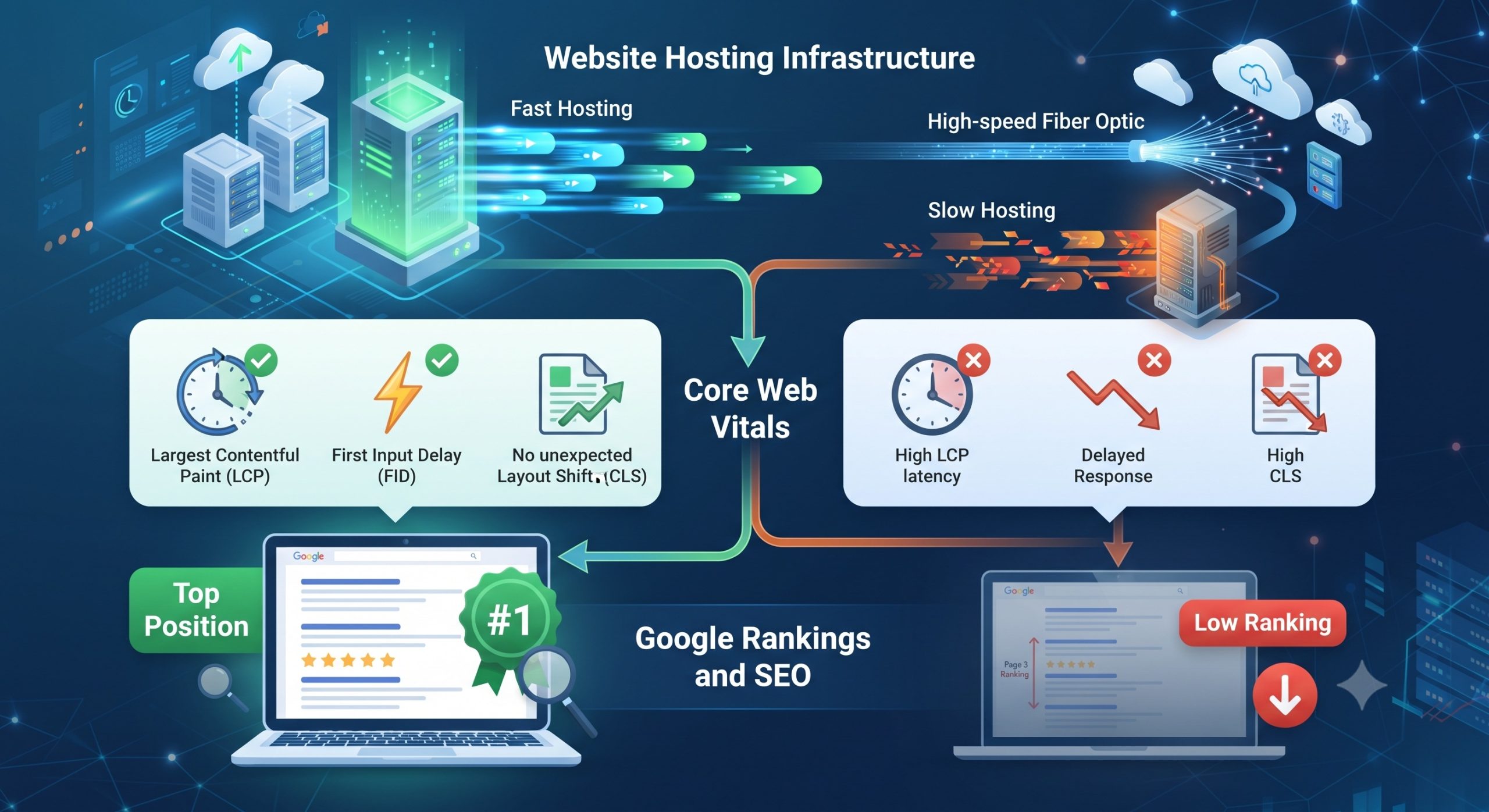
Search engines like Google prioritize websites that load quickly, remain secure, and offer a smooth browsing experience.

A high-quality shared hosting service helps improve:

  • Website uptime
  • Loading speed
  • Security
  • Mobile performance
  • Technical SEO

Better hosting infrastructure can positively impact search engine rankings and increase organic traffic to your website.

If your website experiences frequent downtime or slow performance, your SEO rankings may suffer significantly.

Beginner-Friendly Website Management

Shared hosting is designed to be easy for beginners. Most hosting plans include a simple and user-friendly control panel that allows users to:

  • Manage domains
  • Create business emails
  • Upload website files
  • Install WordPress
  • Manage databases
  • Monitor website performance

Even users with little technical knowledge can easily manage their websites without hiring professional developers.

Enhanced Security for Your Website

Website security has become more important than ever. Cyber threats, malware attacks, and data breaches can harm your business reputation and website performance.

Reliable shared hosting providers offer advanced security features such as:

  • Free SSL certificates
  • Firewall protection
  • Malware scanning
  • DDoS protection
  • Regular backups
  • Secure server monitoring

These features help protect websites and customer data from online threats.

Why Website Uptime Matters

Website uptime refers to the amount of time your website remains accessible online. Frequent downtime can:

  • Damage customer trust
  • Reduce website traffic
  • Lower Google rankings
  • Affect online sales

Professional hosting providers ensure high uptime performance so your website remains available to visitors 24/7.

Reliable uptime is especially important for:

  • Business websites
  • eCommerce stores
  • Service-based companies
  • Online learning platforms

A stable hosting environment improves both customer experience and business credibility.

Features You Should Look for in Shared Hosting

Before selecting a hosting provider, make sure your hosting plan includes the following features:

SSD Storage

SSD storage provides faster data processing and improves website speed.

Free SSL Certificate

SSL certificates protect website data and improve SEO rankings.

One-Click WordPress Installation

Quickly install WordPress and launch your website within minutes.

Business Email Hosting

Professional email addresses improve business credibility.

24/7 Technical Support

Reliable customer support helps solve technical issues quickly.

Backup & Recovery

Regular backups help restore website data during emergencies.

Scalable Hosting Plans

Upgrade your hosting plan as your website traffic grows.

Shared Hosting vs Other Hosting Types

Shared Hosting

Best for beginners, small businesses, and blogs.

VPS Hosting

Suitable for growing websites needing dedicated resources.

Dedicated Hosting

Ideal for high-traffic websites requiring full server control.

Cloud Hosting

Provides scalable infrastructure for larger businesses.

For most startups and small businesses, shared hosting remains the best balance between affordability and performance.

Why Choose Parallax Hosting?

Choosing the right hosting provider is critical for long-term online success. Parallax Hosting offers reliable, secure, and affordable shared hosting solutions designed for businesses, bloggers, startups, and professionals.

Benefits of Choosing Parallax Hosting

High-Speed Hosting Infrastructure

Optimized servers deliver fast website performance and improved loading speed.

Affordable Pricing Plans

Budget-friendly hosting plans suitable for businesses of all sizes.

Reliable Uptime

Stable hosting infrastructure ensures maximum website availability.

Secure Hosting Environment

Advanced security systems protect your website from threats and attacks.

Easy Website Management

Simple control panels make hosting management easy for beginners.

Professional Customer Support

Dedicated support teams help resolve issues quickly and efficiently.

Whether you are launching your first website or managing multiple projects, Parallax Hosting provides dependable hosting solutions tailored to your needs.

How Shared Hosting Helps Businesses Grow

A professional website helps businesses:

  • Build online visibility
  • Reach more customers
  • Increase credibility
  • Generate leads
  • Improve brand awareness
  • Increase online sales

With affordable shared hosting, businesses can establish a strong online presence without high investment costs.

For startups and small businesses, shared hosting is the perfect foundation for digital growth.

Final Thoughts

A reliable web hosting service is the backbone of every successful website. Fast and affordable shared hosting allows businesses, startups, bloggers, and professionals to build high-performing websites without overspending.

From improved SEO rankings and faster loading speeds to enhanced security and reliable uptime, shared hosting offers everything needed to establish a strong online presence.

If you are searching for a trusted hosting provider that combines affordability, performance, security, and excellent support, Parallax Hosting is the ideal choice.

Start your online journey today with Parallax Hosting and experience fast, secure, and affordable shared hosting designed for every website.

Visit: https://parallaxhosting.com/

Namrata J.
The Author

Namrata J.

Related posts

24 July
Manage Your Business from Anywhere This Summer

Summer is the perfect time to enjoy a change of scenery, take a well-earned vacation, or simply work from your favorite destination. Thanks to modern cloud technology, running a business is no longer tied to […]

Read more
90 comment 0 By Namrata J.
24 June
Why Businesses Trust Parallax Hosting for Dedicated Server

Introduction In today’s highly connected digital world, a company’s website serves as much more than an online presence. It functions as a sales channel, customer support hub, marketing platform, and brand representative. Whether a business […]

Read more
140 comment 0 By Namrata J.
15 June
How Web Hosting Affects SEO Rankings and Website Performance in 2026

Introduction In 2026, the relationship between web hosting and SEO is stronger than ever before. Search engines have evolved beyond simply analyzing keywords and backlinks; they now evaluate how efficiently a website performs, how secure […]

Read more
86 comment 0 By Namrata J.
WordPress March 03, 2026 Namrata J. 146

WordPress 6.9.1: What’s New and Why You Should Update

WordPress 6.9.1: What’s New and Why You Should Update

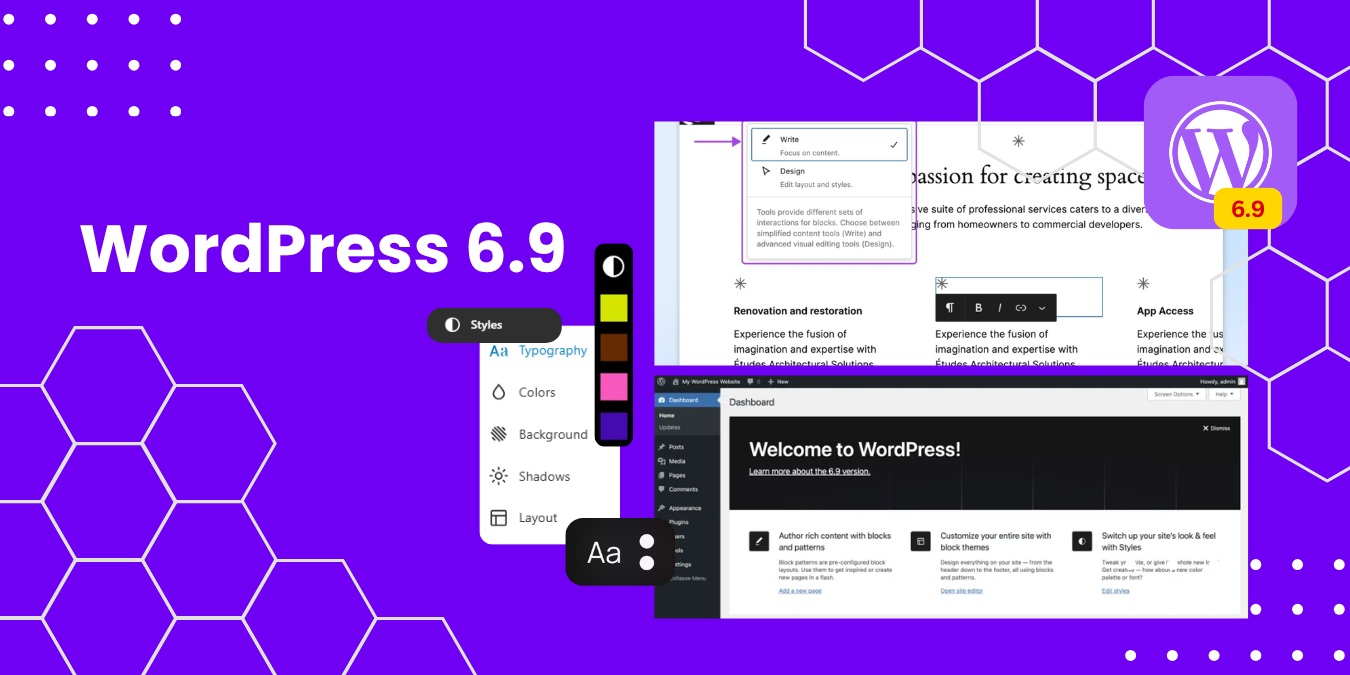
The latest WordPress 6.9.1 update brings essential security patches, performance improvements, and stability fixes to keep your website running smoothly. As the world’s most popular CMS platform, WordPress continues to improve its core system to enhance website security, speed, and user experience.

If you manage a blog, business website, or WooCommerce store, upgrading to WordPress 6.9.1 is crucial for maintaining strong WordPress website security and improving SEO performance.

🚀 What’s New in WordPress 6.9.1?

Unlike major feature releases, WordPress 6.9.1 is a maintenance and security update focused on optimizing performance and fixing known issues.

1. Enhanced WordPress Security Updates

Security is one of the main reasons to update WordPress regularly. Version 6.9.1 includes:

  • Critical security vulnerability patches
  • Improved authentication handling
  • Strengthened data validation
  • Protection against malware and exploits

Updating ensures your website remains protected against cyber threats and hacking attempts.

SEO Keyword Focus: WordPress security update, secure WordPress website, WordPress vulnerability fix

2. Performance Optimization Improvements

Website speed directly affects Google search rankings and user engagement. WordPress 6.9.1 improves:

  • Database query performance
  • Backend processing efficiency
  • Block editor responsiveness
  • Overall website stability

A faster website enhances user experience and reduces bounce rates, improving your WordPress SEO performance.

SEO Keyword Focus: WordPress speed optimization, improve website performance, faster WordPress website

3. Bug Fixes & Plugin Compatibility

WordPress 6.9.1 resolves minor issues found in the previous version, including:

  • Block editor glitches
  • Theme compatibility problems
  • Plugin conflict fixes
  • Admin dashboard stability improvements

Keeping WordPress updated ensures smooth compatibility with the latest plugins and themes.

SEO Keyword Focus: WordPress plugin compatibility, WordPress maintenance update, WordPress bug fixes

Why You Should Update to WordPress 6.9.1

Updating your WordPress core is essential for long-term website success.

✔ Improved Website Security

Outdated WordPress versions are more vulnerable to hacking and malware attacks.

✔ Better SEO Rankings

Search engines prioritize secure, fast, and updated websites.

✔ Enhanced Website Performance

Performance updates improve loading speed and user experience.

✔ Future Compatibility

Ensures readiness for upcoming WordPress releases.

✔ Reduced Technical Errors

Fixes known issues that may affect functionality.

SEO Keyword Focus: Why update WordPress, benefits of updating WordPress, latest WordPress version

SEO Benefits of Updating WordPress 6.9.1

Updating to the latest WordPress version helps:

  • Improve Core Web Vitals
  • Strengthen HTTPS security signals
  • Enhance mobile responsiveness
  • Reduce technical SEO errors
  • Improve overall site stability

A well-maintained WordPress site ranks higher in Google and builds stronger user trust.

How to Safely Update WordPress 6.9.1

Follow these best practices before updating:

  1. Take a complete website backup
  2. Update themes and plugins first
  3. Check PHP version compatibility
  4. Test updates in a staging environment
  5. Clear cache after updating

These steps ensure a safe and smooth WordPress update process.

SEO Meta Description (Optimized)

Discover what’s new in WordPress 6.9.1, including security updates, performance improvements, and SEO benefits. Learn why updating to the latest WordPress version is essential for website security and speed.

Focus Keywords Used

  • WordPress 6.9.1 update
  • Latest WordPress version
  • WordPress security update
  • Improve WordPress performance
  • WordPress speed optimization
  • Why update WordPress
  • WordPress SEO benefits

Final Thoughts

The WordPress 6.9.1 update may be a maintenance release, but it plays a crucial role in strengthening website security, boosting performance, and maintaining plugin compatibility. Keeping your website updated is one of the simplest yet most effective ways to improve your SEO rankings and protect your online presence.

Update today and keep your WordPress website secure, fast, and future-ready 🚀

Namrata J.
The Author

Namrata J.

Related posts

03 March
WordPress 6.9.1: What’s New and Why You Should Update

The latest WordPress 6.9.1 update brings essential security patches, performance improvements, and stability fixes to keep your website running smoothly. As the world’s most popular CMS platform, WordPress continues to improve its core system to […]

Read more
146 comment 0 By Namrata J.
13 August
Benefits of WordPress As Your Content Management System

Setting up a new website is like setting up a new physical store. To help people find what you’re offering, you need to display your goods in a way that looks appealing, makes sense, and […]

Read more
1382 comment 0 By Udit Nag
28 December
How to Identify and Fix a Hacked WordPress Website

Is WordPress hack-proof? Never say never, but it is commonly accepted that the WordPress Core has strong security. Professional analysis of hacked WordPress sites typically reveals the point of entry to be the result of […]

Read more
955 comment 0 By Udit Nag
eCommerce February 19, 2026 Namrata J. 152

Enhancing E-Commerce Security with SSL Certificates

Enhancing E-Commerce Security with SSL Certificates

In today’s digital marketplace, e-commerce security is the foundation of online business success. Customers share sensitive information such as personal details, login credentials, and payment data when shopping online. A single security breach can damage brand reputation, reduce customer trust, and lead to financial and legal consequences. That’s why implementing strong website security measures—especially SSL certificates—is essential for every online store.

Why E-Commerce Security Matters

With the rapid growth of online shopping, cyber threats like data breaches, phishing attacks, ransomware, and malware infections have significantly increased. E-commerce websites are prime targets for hackers because they store valuable customer and financial information.

A secure online store helps:

  • Protect customer data from cybercriminals
  • Prevent unauthorized access
  • Maintain business credibility
  • Improve search engine rankings
  • Increase customer confidence

Security is not just a technical requirement—it is a business necessity.

Understanding SSL Certificates

An SSL (Secure Sockets Layer) certificate is a digital security protocol that encrypts data exchanged between a user’s browser and a website server. This encryption ensures that sensitive information cannot be intercepted or misused by attackers.
When an SSL certificate is installed, your website URL changes from:
http:// → https://
The “S” stands for secure, and a padlock icon appears in the browser’s address bar, signaling a secure connection.te and secure.

Key Benefits of SSL Certificates for E-Commerce

1. Data Encryption

SSL encryption protects sensitive information such as credit card details, passwords, and personal data during online transactions.

2. Customer Trust

The HTTPS and padlock symbol reassure customers that their information is secure, encouraging them to complete purchases.

3. Payment Security

SSL certificates are essential for secure online payments and are often required by payment gateways.

4. SEO Advantage

Search engines like Google prioritize secure websites, meaning HTTPS can positively impact your search engine ranking.

5. Protection Against Cyber Threats

SSL reduces the risk of man-in-the-middle attacks and data interception.

Additional Ways to Strengthen E-Commerce Security

While SSL is critical, a comprehensive security strategy should also include:

  • Regular software updates
  • Strong password policies
  • Two-factor authentication (2FA)
  • Firewall protection
  • Secure hosting environment
  • Regular website backups
  • Malware scanning

Combining these measures creates a strong defense system for your online store.

Impact on Customer Trust and Business Growth

Security directly influences purchasing decisions. Customers are more likely to shop from a website that appears secure and trustworthy. A protected website reduces downtime, prevents financial loss, and builds long-term customer loyalty.

In competitive online markets, trust becomes a powerful differentiator—and security builds that trust.

Conclusion

In the modern e-commerce landscape, security is not optional—it is essential. SSL certificates play a vital role in protecting customer data, securing online transactions, and improving search visibility.

By prioritizing website security and implementing SSL encryption, online businesses can safeguard their reputation, protect customers, and create a reliable, trustworthy shopping experience.

Namrata J.
The Author

Namrata J.

Related posts

19 February
Enhancing E-Commerce Security with SSL Certificates

In today’s digital marketplace, e-commerce security is the foundation of online business success. Customers share sensitive information such as personal details, login credentials, and payment data when shopping online. A single security breach can damage […]

Read more
152 comment 0 By Namrata J.
12 July
12 Link Building Ideas for eCommerce Sites

Link building is hard. That statement is simple, but the truth behind it is complicated. You know you need to get links from other websites – high-authority, relevant websites, no less – for your website […]

Read more
1436 comment 0 By Udit Nag
26 October
How to Start a Successful Online Business

Dreaming of becoming an entrepreneur? Planning to start a online business? “I’m convinced that about half of what separates successful entrepreneurs form the non-successful ones is pure perseverance.” – Steve Jobs, Co-founder, Apple Inc. Starting […]

Read more
1341 comment 0 By Udit Nag
WordPress August 13, 2018 Udit Nag 1382

Benefits of WordPress As Your Content Management System

Benefits of WordPress As Your Content Management System

Setting up a new website is like setting up a new physical store.

To help people find what you’re offering, you need to display your goods in a way that looks appealing, makes sense, and is easy for you to restock and update. In a retail store, the solution is fixtures; for your website, it’s a content management system (CMS).

There are lots of CMS options, but for new site owners, the WordPress content management system offers a lot of benefits right out of the virtual box.

“9 Benefits of Using WordPress as Your CMS”


1. Your CMS Is Free

There are a lot of reasons to like WordPress, but the fact that it’s free is a pretty compelling reason to use WordPress as a content management system on its own.

It’s normal to wonder if “you get what you pay for,” but even big companies like Disney and major media outlets like Time and TechCrunch use WordPress as their content management system. And many of the plugins for WordPress that add functions and features are also free, or come in free and premium (paid) versions.

Using WordPress and free plugins leaves more money in your budget for content production and promotion.


2. You Can Present Your Content the Way You Want

Because there are thousands of themes and more than 55,000 plugins for WordPress, your blog, store, or business site can have its own unique look. Consider that the official websites of SwedenBeyonce, and BBC America all use WordPress, but have radically different looks, features, and functions:

Many WordPress themes are customizable, too, which gives you control over your site’s fonts, colors, and formatting within your chosen theme’s overall structure.


3. Your Content Is Easy to Publish, Revise, and Update

The biggest benefit of the WordPress content management system is that it’s easy for writers, photographers, video producers, store owners, and podcasters to publish their content without knowing code.

Publishing a blog post and adding images is not much more technically challenging than creating a text document or a slideshow. With the right plugins, sharing videos and podcast audio is easy, too. When you want to make edits and updates, just go to the post, make your changes, and click the update button.


4. You Can Easily Add More Creators to the Mix

When you’re ready to add other contributors to your blog or hire a photo editor to update your product photos, WordPress makes it easy to add them and specify the level of access they have to your content.

Most designers and writers are already familiar with WordPress because they use it for their own sites and/or because their clients use it, so you won’t have to spend a lot of time and money training new people on the basics of your CMS.

And if you want to change or upgrade your site in a particular way and can’t find a plugin to do it, there are lots of developers who know WordPress and can help you create what you want.


5. Your Online Store Is Easy to Set Up

Products are your most valuable content when you run an online store.

With the free WooCommerce plugin for WordPress, you can set up an easy-to-navigate, mobile-friendly catalog and product pages that convert. WooCommerce extensions for social media, payment services, and shipping companies help you promote, sell, and ship your items seamlessly.


6. Your Content Gets Found

You want your audience to find your posts, products, or business.

WordPress makes it easier for that to happen, by formatting your site in a way that’s easy for search engine crawlers to navigate and by giving you a way to enter and refine your content’s title tags and meta descriptions without any coding. These tags and WordPress’ optimized structure allow search engine crawlers to quickly see what your content is about.

There are also SEO plugins to optimize your site’s search engine performance even more. The free version of the Yoast SEO plugin lets you quickly optimize your keywords, preview your pages in Google results, and more. The Google XML Sitemaps free plugin builds a crawler-friendly map of your site and pings search engines when you add new content.


7. Your Content Is Mobile-Ready

You’ve probably heard many times that your website needs to be mobile friendly, and I’m going to repeat it here because it’s so true. More than half of all web traffic worldwide and almost 40% of US-based web traffic now come from mobile devices.

Every type of content you include on your site—images, text, reviews, videos, product catalogs—needs to load fast and display properly on mobile devices.

A mobile-optimized WordPress theme makes sure your content looks right on mobile devices, and managed WordPress web hosting delivers the fast load times users (and Google) expect. Together, these WordPress tools and plugins use your content to create the best possible experience for your smartphone-wielding site visitors.


8. Your Content Is Easy to Share

WordPress website business owners have many options for social sharing tools, and many of them are free. One of the most popular plugins for social, Social Media Share Buttons & Social Sharing Icons, does what it says in the name, with added features like RSS feed support so people can subscribe to your content updates and a choice of social button styles to coordinate with your site’s design.

social plugin

Yoast SEO users can opt to use the social sharing tools built into that plugin. WooCommerce also has social media options so you can promote your products on Instagram and other channels.


9. You Can Display Customer Reviews

Your web content isn’t limited to posts and media created by you and your team. Your customers can (and hopefully will) create content for your site, too. The most valuable customer-generated content is the review, because most of us check reviews before we make spending decisions now.

Embedding customer reviews on eCommerce websites can keep visitors on your site while they do their research so you don’t risk losing them when they click away to look for customer feedback. WordPress plugin WP Review has a free version that lets you choose your rating system, colors, language, and design. This plugin also supports Google Rich Snippets so your review boxes can display nicely in search results.

Udit Nag
The Author

Udit Nag

Related posts

03 March
WordPress 6.9.1: What’s New and Why You Should Update

The latest WordPress 6.9.1 update brings essential security patches, performance improvements, and stability fixes to keep your website running smoothly. As the world’s most popular CMS platform, WordPress continues to improve its core system to […]

Read more
146 comment 0 By Namrata J.
13 August
Benefits of WordPress As Your Content Management System

Setting up a new website is like setting up a new physical store. To help people find what you’re offering, you need to display your goods in a way that looks appealing, makes sense, and […]

Read more
1382 comment 0 By Udit Nag
28 December
How to Identify and Fix a Hacked WordPress Website

Is WordPress hack-proof? Never say never, but it is commonly accepted that the WordPress Core has strong security. Professional analysis of hacked WordPress sites typically reveals the point of entry to be the result of […]

Read more
955 comment 0 By Udit Nag
Website May 24, 2018 Udit Nag 1705

What Do I Need to Start a Blog?

What Do I Need to Start a Blog?

Follow This Checklist for Starting Your Blog

You’ve decided to join the ranks of the world’s bloggers.

That’s a great idea. A blog can increase your website rank. But now you have to figure out how to get started.

Here are the main steps you need to take to start a blog.

First, do you already have a website?

If so, jump to the next section. If not, you need to start your website first. There are four things you must have to launch a website:

1. Domain Name

Your domain is the main address for your website on the web. It’s what people will type in to reach your website directly.

A  domain name should be as close to the name of your brand as possible. If the .com for the name you most want isn’t available, brainstorm alternative names or variations on the one you have that will be easy for people to remember.

You can buy a domain on its own, but in most cases, you can get one for free when you buy the next thing you need.

2. Web hosting

All websites must have web hosting. It’s what keeps your site on the web and accessible to visitors. Most web hosting plans include at least one free domain name and many include helpful add-ons that make creating your website easier, like templates or website builders.

Some hosting plans are especially suited to working with popular blogging platforms, so if the blog is the entire reason you’re starting a website, look for a plan that’s designed to support that particular need.

3. Web design

Once you’ve claimed your space on the web, you have to actually create the site itself. If you’re not skilled at web design, you can still easily put together your own website with the help of a website builder.

If you want something that looks more professional or unique, look into hiring a web designer to create your site for you. If you want the blog to be the main focus of the site, make that clear going in. Your website should be designed to drive people directly to your content.

4. Copy

When people land on your website, they’ll want to know where they are and what the site is all about. Before you launch your website, you’ll need to figure out the best words to use to explain to people what your website is and why they should stick around.

It’s worth considering a professional copywriter for this part, particularly if you want your website to encourage people to take a specific action – like buying a product. If your goal is mostly just to share your ideas with the world, then you might not need to hire someone for this, but be sure to spend some time researching online copy-writing if you do it yourself so you do it right.

The 5 Things You Need to Start Blogging

With all the website basics in place, you can start thinking specifically about the blog now. There are five main things you need to create a blog.

1. A blog strategy

Chances are, you want your blog to accomplish something. Otherwise, why not just put your writing into a personal journal? For your blog to be effective at achieving whatever your goals are, you’ll need to take time before you start writing to clearly define a strategy.

Determine what your main goals for your blog are and brainstorm a specific plan for how best to achieve them. Think about things like:

  • Who you want to reach
  • How often you want to publish new posts (be realistic here!)
  • The types of content you want to create
  • How you’ll measure success
  • How to reach the audience you want
  • How to keep the audience you find

Blogging isn’t easy. You’ll get more out of it for the time you put in if you spend a little time upfront deciding exactly what you want to get out of it and how.

2. A blogging platform

You have a number of blogging platforms to choose from. WordPress (pictured below) is by far the most popular and is designed to be easy to use, even for brand new bloggers learning the basics. But some other platforms provide benefits you may appreciate, like more customization options or simpler functionality.

Review your options and determine which one is right for your needs.

wordpress


3. A content schedule

And now we reach the hard part – the nitty gritty of keeping a blog going. Creating new content regularly takes time and energy. If you’re going to keep up with it, you need to consistently commit time to getting it done (or hire someone to do it for you).

Brainstorm topic ideas in advance and have a calendar planned out for what you’ll be publishing when – before you start writing. Devote time on your schedule daily or weekly, based on how often you plan to publish. Set separate deadlines for writing, editing, and publishing.

Your schedule (and your ability to keep it) is one of the most important parts of keeping a blog going. Without it, you’re likely to let it fall off soon after starting.

4. Images

At this point, readers expect blog posts to include images. They’re 80% more likely to read your posts to begin with if you add an image to it. Plan on devoting some time (and possibly budget) for finding at least one image to go with each post.

You can find high-quality images for free on a number of websites, or even better, make your own. Original images tend to perform better than stock photography, but they do take more time to create.

5. A promotion plan

Blogging is competitive. If you’re going to get people to pay attention to your blog posts out of the many, many others out there, you have to do something to get their attention first. That means content promotion is a necessity.

Look into different online marketing tactics for increasing awareness of your blog. Consider getting involved in social media, guest posting on other relevant blogs, and teaming up with influencers. You’ll probably need to try out a few different types of promotion tactics to get a feel for what works best for your audience and blog. Pay attention to your analytics as you go so you can measure what promotion efforts get you results.

Conclusion

Several of the things you need to start a blog are simply a matter of getting the structure into place, but some of the most important parts of the process are ongoing. Be prepared to commit real time and energy to the process.

For your blog to be successful, you have to put the work in. But if it connects with the audience you most want to reach, it will be well worth it.

Udit Nag
The Author

Udit Nag

Related posts

24 July
Manage Your Business from Anywhere This Summer

Summer is the perfect time to enjoy a change of scenery, take a well-earned vacation, or simply work from your favorite destination. Thanks to modern cloud technology, running a business is no longer tied to […]

Read more
90 comment 0 By Namrata J.
24 June
Why Businesses Trust Parallax Hosting for Dedicated Server

Introduction In today’s highly connected digital world, a company’s website serves as much more than an online presence. It functions as a sales channel, customer support hub, marketing platform, and brand representative. Whether a business […]

Read more
140 comment 0 By Namrata J.
15 June
How Web Hosting Affects SEO Rankings and Website Performance in 2026

Introduction In 2026, the relationship between web hosting and SEO is stronger than ever before. Search engines have evolved beyond simply analyzing keywords and backlinks; they now evaluate how efficiently a website performs, how secure […]

Read more
86 comment 0 By Namrata J.
WordPress December 28, 2016 Udit Nag 955

How to Identify and Fix a Hacked WordPress Website

How to Identify and Fix a Hacked WordPress Website

Is WordPress hack-proof? Never say never, but it is commonly accepted that the WordPress Core has strong security. Professional analysis of hacked WordPress sites typically reveals the point of entry to be the result of a weak administrator or FTP password, a domain or hosting level breach, an insecure plugin or theme, running an outdated version of the WordPress Core, or a point of entry other than the WordPress Core.

(more…)

Udit Nag
The Author

Udit Nag

Related posts

03 March
WordPress 6.9.1: What’s New and Why You Should Update

The latest WordPress 6.9.1 update brings essential security patches, performance improvements, and stability fixes to keep your website running smoothly. As the world’s most popular CMS platform, WordPress continues to improve its core system to […]

Read more
146 comment 0 By Namrata J.
13 August
Benefits of WordPress As Your Content Management System

Setting up a new website is like setting up a new physical store. To help people find what you’re offering, you need to display your goods in a way that looks appealing, makes sense, and […]

Read more
1382 comment 0 By Udit Nag
28 December
How to Identify and Fix a Hacked WordPress Website

Is WordPress hack-proof? Never say never, but it is commonly accepted that the WordPress Core has strong security. Professional analysis of hacked WordPress sites typically reveals the point of entry to be the result of […]

Read more
955 comment 0 By Udit Nag

Become the part of Parallax Hosting family now!

Get Started